
Rear seat heating
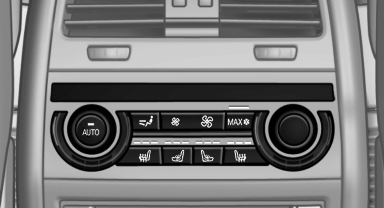
Rear seat heating
Switching on
 Press the button
once for each temperature
level.
Press the button
once for each temperature
level.
The maximum temperature is reached when three LEDs are lit.
If the drive is continued within approx. 15 minutes, the seat heating is activated automatically with the temperature selected last.
Switching off
Press the button longer.
The LEDs go out.
See also:
The concept
The system is functional at speeds beginning at
approx. 20 mph/30 km/h.
It maintains the speed that was set using the
control elements on the steering wheel.
The system brakes on downhill gradie ...
General information
Antifreeze for washer fluid
Antifreeze is flammable. Therefore, keep
it away from sources of ignition.
Only keep it in the closed original container and
inaccessible to children.
Follow the in ...
Screw thread
Left/right cover in the bumper: press on the arrow
symbol on the cover.
BMW X5: front
BMW X6: front
Rear
...