
Services status
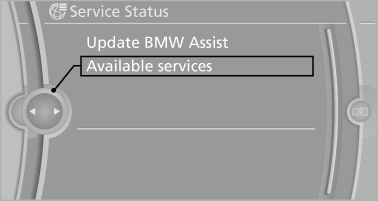
Displaying available services
Display of all services available in the vehicle.
1. "BMW Assist" or "ConnectedDrive".
2. "Service Status".
3. "Available services"
Update BMW Online
Manual update of TeleService and BMW Assist.
"Update BMW Assist"
See also:
System limits
Personal responsibility
The high-beam assistant cannot serve as
a substitute for the driver's personal judgment
of when to use the high beams. Therefore, manually
switch off the high beams in sit ...
General information
The following functions are available:
▷ Use of a mobile phone as a telephone.
Functions supported by the mobile phone are
shown as a symbol during pairing.
White symbol: the function is ac ...
Increasing desired speed
Repeatedly press the lever to the resistance
point or beyond, arrow 1, until the desired speed
is reached.
▷ Each time the lever is pressed to the point of
resistance, the desired speed i ...