
Information in detail
Range
Displays the estimated cruising range available with the remaining fuel.
It is calculated based on your driving style over the last 20 miles/30 km.
If there is only enough fuel left for less than 45 miles/80 km, the color of the display changes.
Average fuel consumption
This is calculated for the period during which the engine is running.
The average fuel consumption is calculated on the basis of various distances.
Average speed
Periods in which the vehicle is parked with the engine manually stopped do not enter into the calculation of the average speed.
Resetting average values
Press and hold the computer button on the turn signal lever.
Distance to destination
The distance remaining to the destination is displayed if a destination is entered in the navigation system before the trip is started.
The distance to the destination is adopted automatically.
Time of arrival
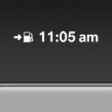
The estimated time of arrival is displayed if a destination is entered in the navigation system before the trip is started.
The time must be correctly set.
Speed limit detection
Description of the speed limit detection, function
See also:
Tire inflation pressures at max. speedsabove 100 mph/160 km/h
Speeds above 100 mph/160 km/h
In order to drive at maximum speeds in excess
of 100 mph/160 km/h, please observe, and,
if necessary, adjust tire pressures for speeds
exceeding 100 mph/160 km/h fro ...
After washing the vehicle
After washing the vehicle, apply the brakes
briefly to dry them; otherwise, braking action can
be reduced and corrosion of the brake discs can
occur. ...
Deleting the last destinations
1. "Navigation"
2. "Last destinations"
3. Highlight the destination.
4. Open "Options".
5. "Delete entry" or "Delete all last
destinations" ...