
Current fuel consumption
Instrument cluster

Displays the current fuel consumption.
You can check whether you are currently driving in an efficient and environmentally- friendly manner.
Instrument cluster with enhanced features
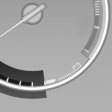
Displays the current fuel consumption.
You can check whether you are currently driving in an efficient and environmentally- friendly manner.
Displaying the current fuel consumption
1. "Settings"
2. "Info display"
3. "Additional indicators"
The bar display for the current fuel consumption is displayed in the instrument cluster.
See also:
Side View
The concept
Side View provides an early look at cross traffic
at blind driveways and intersections. Road users
concealed by obstacles to the left and right of
the vehicle can only be detected r ...
Cameras
Cameras
The two camera lenses are located on the sides
of the bumper.
The presence of dirt can impair image quality.
Clean the lens ...
Terminating destination guidance
1. "Navigation"
2. "Map"
3. "Guidance"
4. "Stop guidance" ...