
Date
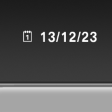
The date is displayed in the instrument cluster.
Setting the date and date format.
See also:
Requirements
▷ The installed BMW Assist system is logged
in to a wireless communications network.
This network must be capable of transmitting
the services.
▷ To transmit position data, the vehic ...
The design: commanding presence and athletic elegance.
The new BMW 6-Series Coupe heralds the arrival of an exceptionally sporty and
exclusive 2+2-seater in the premium segment of top-class Coupes. The new model's
extra length and width over its prede ...
Controls
At a glance
At a glance
1 System on/off, interrupt
2 Resume speed
3 Store speed
4 Store, maintain/change speed
Switching on
Press the button on the steering
wheel.
The marking in the spee ...