
Overview, instrument cluster with enhanced features
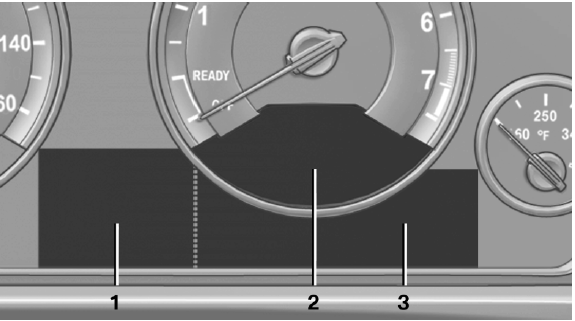
Overview, instrument cluster with enhanced features
1 Time
External temperature
Date
Selection list, e.g., radio
Speed limit detection
Computer
Miles/trip miles
Navigation display
2 Energy recovery
Transmission display
Current fuel consumption
ECO PRO
3 Messages, e.g. Check Control
Service requirements
See also:
Destination entry via BMW Assist
A connection is established to the Concierge
service
1. "Navigation"
2. "Enter address"
3. Open "Options".
4. "BMW Assist dest. entry" ...
Buttons on the remote control
Buttons on the remote control
1. Unlocking
2. Locking
3. Trunk lid
4. Panic mode, headlamp courtesy delay feature ...
Switch off the engine during
longer stops
Switch off the engine during longer stops, e.g.,
at traffic lights, railroad crossings or in traffic
congestion.
Fuel savings are achieved after the vehicle is
switched off for only approx. 4 s ...