
Overview, instrument cluster
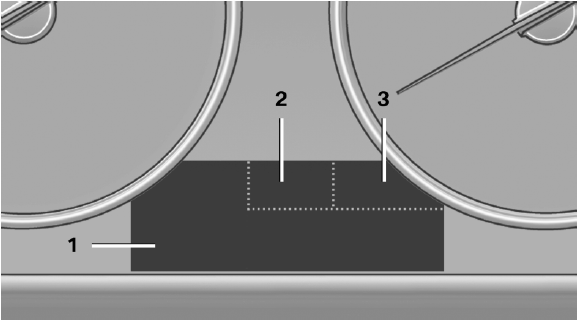
Overview, instrument cluster
1 Messages, e.g. Check Control
Time
Date
External temperature
Selection lists
Service requirements
Miles/trip miles
Computer
2 Transmission display
Gear shift indicator
3 Status, Driving Experience Switch
See also:
General information
Contacts can be created and edited and the addresses
can be adopted as destinations for navigation. ...
General information
The following functions are available:
▷ Use of a mobile phone as a telephone.
▷ Use of a mobile phone as an additional telephone.
▷ Use of a mobile phone as an audio source.
...
Cleaning the windshield and headlamps
Pull the lever, arrow 4.
The system sprays washer fluid on the windshield
and activates the wipers briefly.
When the vehicle lighting system is switched on,
the headlamps are cleaned at regular ...