
Navigation
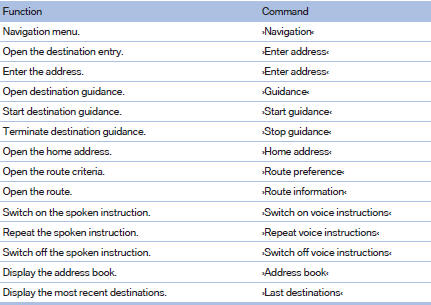
General information

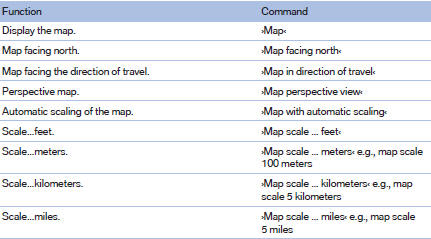
Map
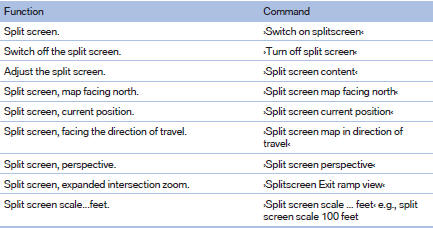
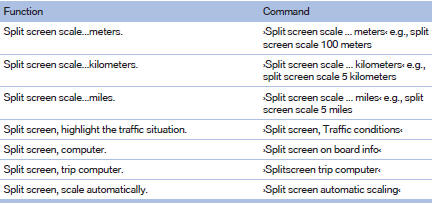
Split screen settings
Destination guidance with intermediate destinations

See also:
Switching the warning function on/off
Press the button
On: the LED lights up.
Off: the LED goes out.
The state is stored for the remote control currently
in use. ...
Phone book
Displays
The phone book accesses the contacts and
shows all contacts for which a phone number
has been stored. The entries can be selected to
make a call.
1. "Telephone"
2. "Ph ...
Pairing/unpairing mobile phone
General informationThe following functions are available:
> Using the mobile phone as a telephone.
> Using the mobile phone as an auxiliary phone.
> Using the mobile phone as an audio sour ...