
Opening
1. Briefly press the rear edge of the fuel filler flap.
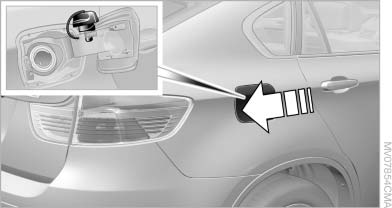
Opening
2. Turn the fuel cap counterclockwise.
3. Place the fuel cap in the bracket attached to
the fuel filler flap.
See also:
Selecting menu items
Menu items shown in white can be selected.
1. Turn the controller until the desired menu
item is highlighted.
2. Press the controller.
Menu items in the Owner's Manual
In the Owner's Manual, ...
Split screen
General information
Additional information can be displayed on the
right side of the split screen, e.g., information
from the computer.
In the divided screen view, the so-called split
screen, ...
1998: the fourth generation - common rail direct injection, VALVETRONIC and
BMW xDrive
The fourth-generation BMW 3-Series was launched in May 1998 and brought with
it another hike in output, comfort and safety. The new model was four
centimetres (approx. 1.5 in.) longer and wider th ...