
Automatic Service Request
The TeleService data necessary for servicing the vehicle are automatically sent to your service partner prior to the service deadline. If possible, the service partner will contact you and a service appointment can be arranged.
To check when your service partner was notified:
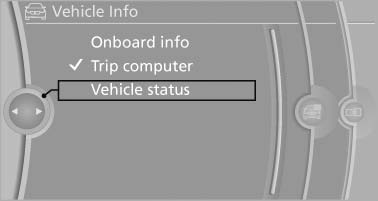
1. "Vehicle Info"
2. "Vehicle status"
Automatic Service Request
3. Open "Options".
4. "Last Service Request"
See also:
Car care products
BMW recommends using cleaning and care
products from BMW, since these have been
tested and approved.
Car care and cleaning products
Follow the instructions on the container.
When cleaning the ...
Requirements
▷ The installed BMW Assist system is logged
in to a wireless communications network.
This network must be capable of transmitting
the services.
▷ To transmit position data, the vehic ...
Remote control
Remote control
1. Menu navigation
2. Volume for headphones with jack plug
3. Changing track or chapter during CD-,
DVDor AUX playback, fast forward/rewind
4. Headphones right/left
5. Open sta ...