
Office information
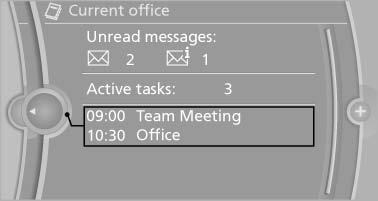
The number of unread messages and active tasks as well as the upcoming appointments are displayed.
1. "Office"
2. "Current office"
3. Select the desired entry to display details.
See also:
Reference
This chapter contains technical data, short
commands for the voice activation system, and an
index that will quickly take you to the information
you need. ...
Vehicle equipment
All standard, country-specific and optional
equipment that is offered in the model series is
described in this chapter. Therefore, equipment
is also described that is not available in a vehicle,
e ...
USB audio interface/mobile phone
audio interface
At a glance
It is possible to connect external audio devices.
They can be operated via iDrive. The sound is
output on the vehicle loudspeakers
Connectors for external devices
▷ Connection ...