
Compressed audio files
Playback
1. Select the directory if necessary.
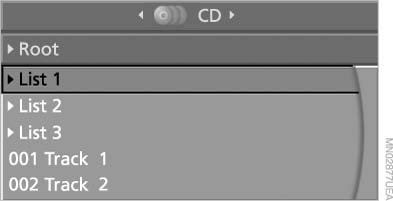
Select the directory if necessary
2.  Press the button.
3. Select a track.
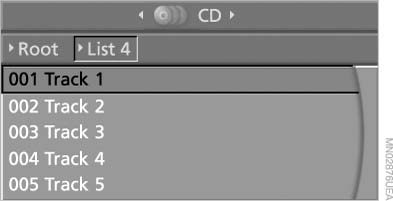
Select a track
4. Press the button.
5. Select "Play".
6. Press
the button.
To change the directory:
1. Select the directory.
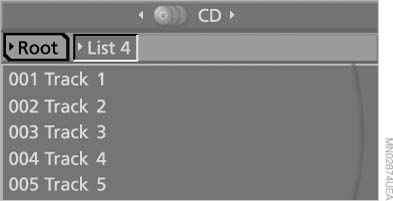
Select the directory
2. Press the button.
Settings and playback functions for compressed audio files
1. Select a track.
2. Press the button.
3. Make the settings with the remote control:
▷ "Tone":
▷ "Treble / Bass" and "Balance": separately
adjustable for the left and right
headphones and the infrared headphones.
▷ "Reset": the settings are reset to the default
values.
▷ "Pause": stop and continue playback.
▷ "Scan directory": briefly sample the tracks
in the current directory.
▷ "Scan all": briefly sample all tracks.
▷ "Random directory": play the tracks in the
current directory in a random sequence.
▷ "Random all": play all tracks in a random sequence.
▷ "Repeat track": repeat the selected track.
▷ "Repeat directory": repeat the tracks in the
current directory.
▷ "Details": display any stored information on
the current track.
To exit from the menu:
 Press the buttons on the remote
control.
Press the buttons on the remote
control.
See also:
Opening the search for special
destinations
Selection of special destinations, such as hotels
or tourist attractions.
1. "Navigation"
2. "Points of Interest"
3. Select the search function. ...
Oil change
An oil change should be carried out by your
service center only.
...
Backup camera
The concept
The backup camera provides assistance in parking
and maneuvering backwards. The area behind
the vehicle is shown on the Control Display.
System limits
Check the traffic situation as ...