
Selecting a station
1. "Radio"
2. "FM" or "AM"
3. Select the desired station.
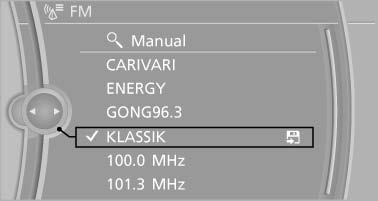
Select the desired station
All saved stations are stored for the remote control currently in use.
Changing the station
Turn the controller and press it
or  Press the button
or Press the buttons on the steering wheel
Press the button
or Press the buttons on the steering wheel
See also:
Example: dialing a phone number
1.
Briefly press the button on the
steering wheel.
2. ›Dial number‹
The system says: »Please say the number«
3. E.g., ›123 456 790‹
The system says: »123 456 790. Continue?
«
4. ›Dial‹
T ...
Supplementary text messages
Additional information on the Control Display,
e.g., on the cause of a malfunction or the required
action, can be called up via Check Control.
The text of urgent messages is displayed automatica ...
TeleService
General information
TeleService supports communication with your
service center.
▷ Data on the vehicle's service requirements
can be sent directly to the service center. In
this way, the ...