
Using the home address as the destination
The home address must be stored. Specify the home address
1. "Navigation"
2. "Address book"
3. "Home"
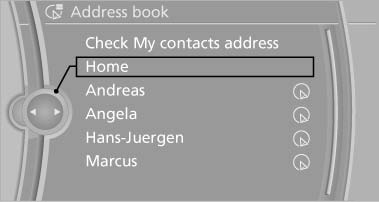
Using the home address as the
destination
4. "Start guidance"
See also:
Units of measure
To set the respective units of measure, miles or
km for the odometer and ℃ or ℉ for the external
temperature.
The setting is stored for the remote control currently
in use. ...
Entry comparison
Entry of names and addresses: the selection is
narrowed down every time a letter is entered and
letters may be added automatically.
The entries are continuously compared to the
data stored in t ...
The concept
The system does not measure the actual inflation
pressure in the tires.
It detects a pressure loss in a tire by comparing
the rotational speeds of the individual wheels
while moving.
In the ev ...