
Entering a state/province
1.  Press the
button.
Press the
button.
2. "Navigation"
3. "Enter address"
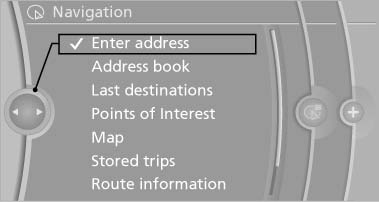
Enter address
4. Select "State/Province" or the displayed state/province.
See also:
Deleting all stored programs
Press the two outer memory buttons for approx.
20 seconds until the LED flashes rapidly.
All stored programs are deleted.
The programs cannot be deleted individually ...
At a glance
...
Ventilation
Front ventilation
► Lever for changing the air flow direction, arrow 1.
► Thumbwheels for opening and closing the
vents continuously, arrows 2.
► Thumbwheel to vary the tempera ...