
Front
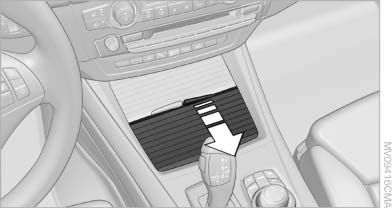
Front
Slide the cover back.
See also:
Wheels with electronics for TPM Tire
Pressure Monitor
When mounting new tires or changing from
summer to winter tires or vice versa, only use
wheels with TPM electronics; otherwise, the
Tire Pressure Monitor will not be able to detect
a flat tire ...
View of an opened menu
When a menu is opened, it generally opens with
the panel that was last selected in that menu. To
display the first panel of a menu:
▷ Move the controller to the left repeatedly
until the ...
Exterior
Sharing its platform with the recently redesigned 7 Series, the 5 Series'
wheelbase has been extended about 3 inches. It now leads its class, BMW says. Up
front, the car's signature kidney grilles ...