
USB interface for data transfer
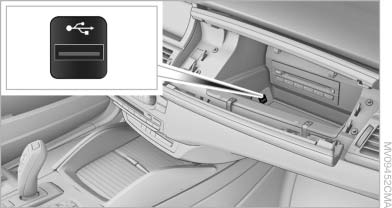
USB interface for data transfer
Port for importing and exporting data, such as music collections, on USB devices.
Observe the following when connecting:
▷ Do not use force when plugging the connector
into the USB interface.
▷ Do not connect devices such as fans or
lamps to the USB interface.
▷ Do not connect a USB hard drive.
▷ Do not use the USB interface to recharge
external devices.
See also:
Snow chains
Only certain fine-link snow chains have been tested by BMW, classified as safe
for use and recommended. Consult your BMW center for more information. Snow chains
must be mounted in pairs and on th ...
Child restraint fixing systems with a
tether strap
Mounting points
Mounting points
Depending on the vehicle equipment, there are
two outer or three mounting points for child restraint
fixing systems with a tether strap.
LATCH mounting eyes&l ...
Filtering the message list
The message list can be filtered when more than
one type of message exists.
1. "Filter:"
2. Select the type of message.
▷ "All"
All messages are displayed.
▷ & ...