
Digital compass
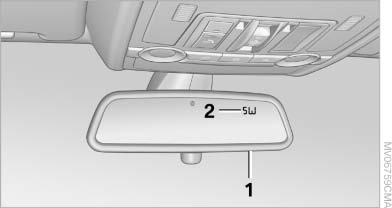
Digital compass
1. Adjustment button
2. Display
The display shows you the main or secondary compass direction in which you are driving.
See also:
Map view for split screen
The map view can be selected for the split
screen independently from the main screen.
1. Open "Options".
2. "Split screen"
3. Move the controller to the right repeatedly
unt ...
All around the headliner
1 Emergency Request
2 Panoramic glass sunroof
3 Indicator lamp, front
passenger
airbag
4 Reading lamps
5 Interior lamps ...
Changing the map section
"Interactive map"
To shift the map: move the controller in the
required direction.
To shift the map diagonally: move the controller
in the required direction and turn it.
...