
The concept
This system projects important information into the driver's field of vision, e.g., navigation instructions.
In this way, the driver can get information without averting his or her eyes from the road.
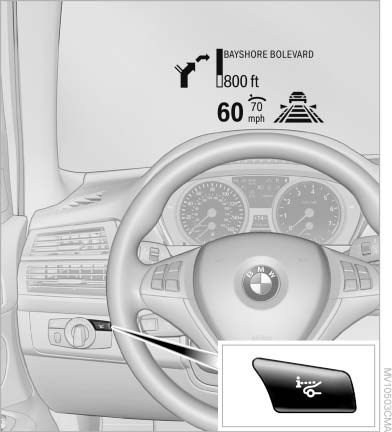
The concept
See also:
New trip
A trip can be planned with several intermediate
destinations.
1. "Navigation"
2. "Map"
3. Move the controller to the left if necessary.
4. "Guidance"
5. "Ente ...
Requirements
Via the Control Display, set a language that is
also supported by the voice activation system
so that the spoken commands can be identified.
Set the language. ...
Switching on automatically
Select transmission position R with the engine
running. ...