
Switching on/off manually
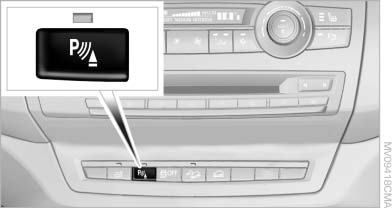
Switching on/off manually
Press the button.
▷ On: the LED lights up.
▷ Off: the LED goes out.
If Top View is displayed, switch on the backup camera via the iDrive
See also:
Switch off the engine during
longer stops
Switch off the engine during longer stops, e.g.,
at traffic lights, railroad crossings or in traffic
congestion.
Fuel savings are achieved after the vehicle is
switched off for only approx. 4 s ...
Starting aid terminals
Connecting order
Connect the jumper cables in the correct
order; otherwise, there is the danger of injury
from sparking.
The so-called starting aid terminal in the engine
compartment acts a ...
Removing ski bag
The ski bag can be completely removed, e.g., for
faster drying or to allow it to be put to other uses.
Removing ski bag
1. Pull the handle forward, arrow 1.
2. Take out the ski bag upward, arro ...