
Switching on/off manually
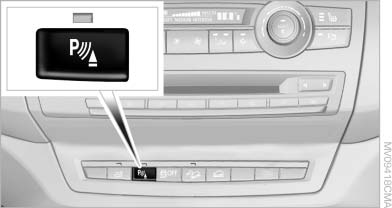
Switching on/off manually
Press the button.
▷ On: the LED lights up.
▷ Off: the LED goes out.
If PDC is displayed, switch on the backup camera via the iDrive
See also:
Warning stages
Prewarning
This warning is issued, for example, when there
is the impending danger of a collision or the distance
to the vehicle ahead is too small.
Acute warning
Warning of the imminent danger ...
Interior motion sensor
The windows and glass sunroof must be closed
for the system to function properly ...
Washer fluid reservoir
Adding washer fluid
Only add washer fluid when the engine is
cool, and then close the cover completely to
avoid contact between the washer fluid and hot
engine parts.
Otherwise, there is the ...