
For better control
 The indicator lamp
flashes: DTC controls
the drive forces and brake forces.
The indicator lamp
flashes: DTC controls
the drive forces and brake forces.
The indicator lamp lights up: DSC and DTC has failed.
DTC activated:
 The indicator lamp
lights up and TRACTION
appears in the instrument cluster.
The indicator lamp
lights up and TRACTION
appears in the instrument cluster.
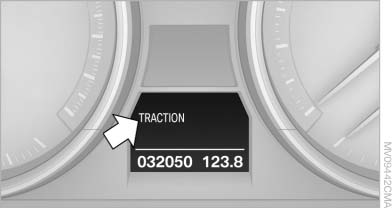
DTC is activated
See also:
Tire inflation pressures
Information for your safetyIt is not merely the tires' service life, but also driving comfort and, to a
great extent, driving safety that depend on the condition of the tires and the maintenance ...
Switching spoken instructions on/off
The setting is stored for the remote control currently
in use.
1. "Navigation"
2. "Map"
3.
"Voice instructions"
Repeating spoken instructions
1. "Navigatio ...
RDS
RDS broadcasts additional information, such as
the station name, in the FM wave band. When
playing a station with multiple frequencies, the
system automatically switches to the frequency
with ...