
Deactivating/activating DTC Dynamic Traction Control
Activating the Dynamic Traction Control DTC provides maximum traction on loose ground.
Driving stability is limited during acceleration and when driving in bends.
Activating DTC
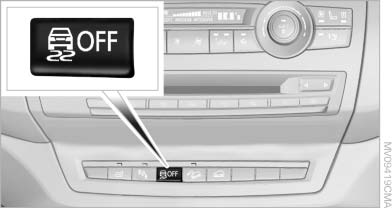
Activating DTC
Press the button.
TRACTION is displayed in the instrument cluster and the indicator lamp for DSC OFF lights up.
See also:
Stowing cargo
▷ Heavy cargo: stow as far forward and as low
as possible, ideally directly behind the cargo
area separating wall.
▷ Very heavy cargo: when the rear seat is not
occupied, secure e ...
Message when the system was not reset
A Check Control message is displayed.
The system detected a wheel change but was
not reset.
Warnings regarding the current tire inflation
pressure are not reliable.
Check the tire inflation pre ...
Activating/deactivating the functions
Several menu items are preceded by a checkbox.
It indicates whether the function is activated
or deactivated. Selecting the menu item
activates or deactivates the function.
The function is act ...