
Displaying, setting or changing the limit
1. "Settings"
2. "Speed"
3. "Warning at:"
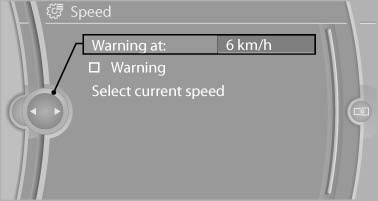
Warning at
4. Turn the controller until the desired limit is displayed.
5. Press the controller.
The speed limit is stored.
See also:
The Inside
The X6's cabin is something of a dichotomy. The severe dashboard angles and
technology-laden center console — which features a joystick-style gear selector
for the automatic transmission and the i ...
General information
Contacts, appointments, tasks, notes, text messages,
and e-mails from the mobile phone can
be displayed on the Control Display if the mobile
phone provides compatible support of these
function ...
System limits
Changes to the parking space
Changes to the parking space after it was
measured are not taken into account by the system.
Therefore, always be alert and ready to intervene;
otherwise, there is ...