
Service requirements
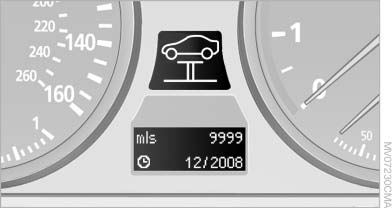
Service requirements
The remaining driving distance and the date of the next scheduled service are displayed briefly immediately after you start the engine or switch on the ignition.
The current service requirements can be read out from the remote control by the service specialist.
For certain maintenance operations, you can view the distance remaining or the due date for that operation in the instrument cluster.
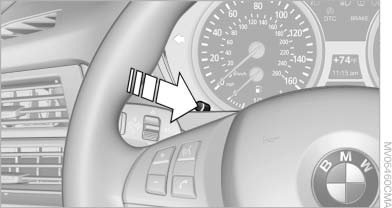
1. With the ignition switched on, press the knob in the instrument cluster, for approx. 5 seconds until the service requirements are displayed.
2. Press the knob repeatedly to display the individual service requirement items.
See also:
Profile management
Opening the profiles
A different profile can be called up than the one
associated with the remote control currently in
use.
1. "Settings"
2. "Profiles"
3. Select a profil ...
Address book
To create contacts.
Selecting a destination from the address book
1. "Navigation"
2. "Address book"
Contacts with addresses are displayed if these addresses have be ...
Loss of the remote controls
Lost remote controls can be blocked by your
service center. ...