
Adjusting manually
Forward/backward
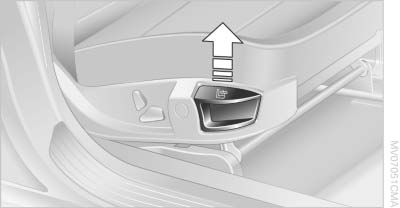
Forward/backward
Pull the lever and slide the seat into the desired position. After releasing the lever, move the seat forward or back slightly to make sure it engages properly.
Thigh support
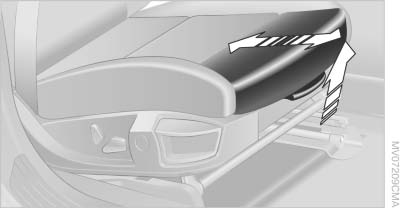
Thigh support
Pull the lever and move the thigh support forward or back
See also:
Front storage compartment
Raise the lid to open it. ...
Turn signal
Using turn signals
Using turn signals
Press the lever beyond the resistance point.
To switch off manually, press the lever to the resistance
point.
Unusually rapid flashing of the indicator la ...
Opening/closing the sliding visor
You can move the sliding visor independently
with the sunroof closed or tilted.
▷ Press the switch in the
desired
direction to the resistance
point and hold it there.
The sliding viso ...