
Diagnosis OBD
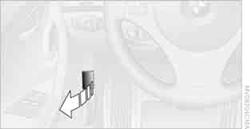
On the driver's side is an OBD socket for checking components relevant to the composition of the vehicle's emissions.
See also:
Vehicle equipment
All standard, country-specific and optional
equipment that is offered in the model series is
described in this chapter. Therefore, equipment
is also described that is not available in a vehicle, ...
Adjusting manually
Forward/backward
Forward/backward
Pull the lever and slide the seat into the desired
position. After releasing the lever, move the seat
forward or back slightly to make sure it engages
prope ...
Destination guidance with traffic bulletins
General information
Detour suggestions from the navigation system
can be manually accepted in the semi-dynamic
destination guidance. In the dynamic destination
guidance, they are automatically ...