
Customer Relations
At a glance
Contact Customer Relations for information on all aspects of your vehicle.
Calling Customer RelationsVehicle not equipped with BMW Assist or BMW TeleServices
1. "BMW Assist" or "ConnectedDrive"
2. "Customer Relations"
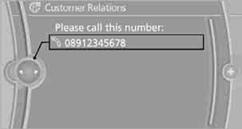
The Customer Relations phone number is displayed. If a mobile phoneis paired, a connection is established to Customer Relations.
Vehicle equipped with BMW Assist or
BMW TeleServices
1. "BMW Assist" or "ConnectedDrive"
2. "Customer Relations"
3. "Start service"
See also:
Pairing/unpairing the mobile phone
General information
The following functions are available:
► Use of a mobile phone as a telephone.
► Use of a mobile phone as an additional telephone.
► Use of a mobile phone a ...
Settings
Vehicle
Equipment ...
Selecting the map view
1. "Navigation"
2. "Map" ...