
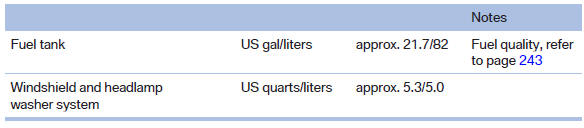
Capacities
See also:
Changing wheels
Notes
The vehicle equipment does not include a spare
tire.
When using run-flat tires or tire sealants, a tire
does not need to be changed immediately in the
event of pressure loss due to a fla ...
Adjusting the volume
1. "CD/Multimedia", "Radio" or "Settings".
2. "Tone".
3. "Volume settings".
4. Select the desired volume setting.
5. To adjust: turn the control ...
Hazard warning flashers
The button is located in the center console. ...