
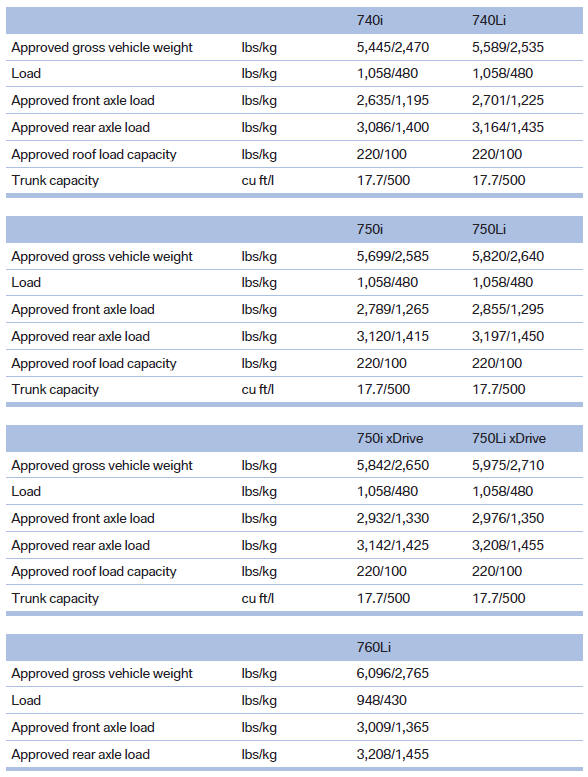
Weights

See also:
Pinch protection system
If the closing force exceeds a specific value as a
window closes, the closing action is interrupted.
The window reopens slightly.
Danger of pinching even with pinch protection
Even with the pin ...
Received calls
Displaying calls
The list of incoming calls on the mobile phone is
transmitted to the vehicle, depending on the
mobile phone. The 20 telephone calls that were
last received are displayed. The s ...
Gas station recommendation
The remaining range is calculated, and if necessary
gas stations along the route are displayed.
1. "Navigation"
2. "Route information"
3. "Recommended refuel"
A lis ...