
In the cargo area
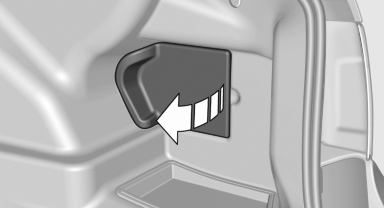
Open the cover on the right side trim.
Information on the fuse types and locations is found on a separate sheet.
See also:
Increasing or decreasing vehicle speed
Specify desired speed in the range from approx.
4 mph/6 km/h to approx. 15 mph/25 km/h using
the rocker switch of the cruise control on the
steering wheel. Vehicle speed can be changed
by lightl ...
Tire inflation pressure values up to 100 mph/160 km/h
320i
328i
335i
...
Contacts
Vehicle equipment
All standard, country-specific and optional
equipment that is offered in the model series is
described in this chapter. Therefore, equipment
is also described that is not availab ...