
Menu navigation
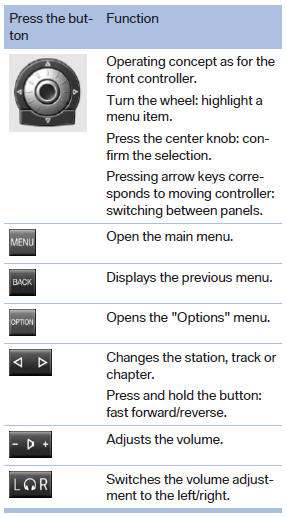
The transmission time of the remote control is limited by law. To execute a function again, press or turn the required button again.
See also:
Determining the load limit
Determining the load limit
1. Locate the following statement on your vehicle’s
placard:
▷ The combined weight of occupants and
cargo should never exceed XXX kg or
YYY lbs. Otherwise, d ...
Securing cargo
BMW X5
BMW X5
BMW X6
BMW X6
▷ Smaller and lighter items: secure with retaining
straps, a cargo net or draw straps.
▷ Larger and heavy objects: secure with cargo
straps.
Four ...
Entering appointment dates
Enter the dates for the required inspections.
Ensure that the vehicle date and time are set
correctly.
1. "Vehicle Info"
2. "Vehicle status"
3. "Service required"
...