
Climate control operation on the headliner
Temperature

Turn the wheel to set the desired temperature.
Air volume
 Press the left or right side of
the button:
decrease or increase air volume.
Press the left or right side of
the button:
decrease or increase air volume.
LEDs indicate the intensity of the air supply.
The air volume may be reduced automatically to save battery power.
Ventilation
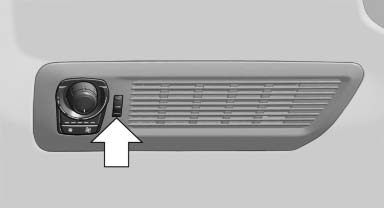
Thumbwheel for changing the air flow direction, arrow.
See also:
The BMW X3 xDrive28i: 6-cylinder power for the entry model.
For the US, the entry-level BMW X3 xDrive28i will feature BMW's award-winning
magnesium/aluminum 3.0-liter inline-6. In 2006 and 2007, the "N52" was awarded
the distinction of being one ...
Closing
Danger of pinching
Monitor the closing process and make
sure that the closing path of the window is clear;
otherwise, injuries may result.◀
▷ Pull the switch to the
resistance po ...
Exterior mirrors
General information
The mirror on the passenger side is more curved
than the driver's mirror.
Estimating distances correctly
Objects reflected in the mirror are closer
than they appear. Do no ...