
Setting the voice dialog
You can set whether the system should use the standard dialog or a shorter version.
In the shorter variant of the voice dialog, the announcements from the system are issued in an abbreviated form.
On the Control Display:
1. "Settings"
2. "Language/Units"
3. "Speech mode:"
4. Select the setting.
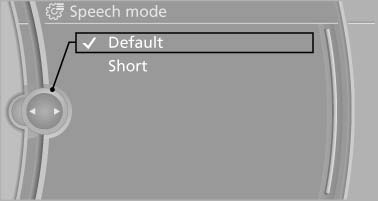
On the Control Display
See also:
Notes
> Reception may not be available in some situations, such as under certain environmental
or topographic conditions. The satellite radio cannot influence this.
> The signal may not be availabl ...
Switching on/off
Switching on/off
Press the button. ...
Closing
Danger of pinching
Monitor the closing process and make
sure that the closing path of the window is clear;
otherwise, injuries may result.◀
▷ Pull the switch to the
resistance po ...