
Language
Setting the language
To set the language on the Control Display:
1. "Settings"
2. "Language/Units"
3. "Language:"
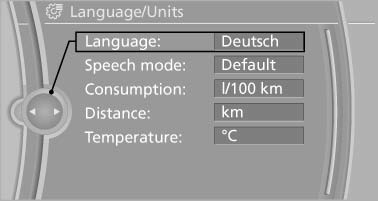
4. Select the desired language.
The setting is stored for the remote control currently in use.
Setting the voice dialog
Voice dialog for the voice activation system*.
See also:
The concept
The system issues a two-phase warning of a
danger of collision at speeds above approx.
10 mph/15 km/h.
The collision warning is available even if cruise
control has been deactivated.
It resp ...
Requirements
▷ The installed BMW Assist system is logged
in to a wireless communications network.
This network must be capable of transmitting
the services.
▷ To transmit position data, the vehic ...