
Information in detail
Range
Displays the estimated cruising range available with the remaining fuel.
It is calculated based on your driving style over the last 20 miles/30 km. If there is only enough fuel left for less than 45 miles/80 km, the color of the display changes.
Average fuel consumption
This is calculated for the period during which the engine is running.
The average fuel consumption is calculated on the basis of various distances.
Average speed
Periods in which the vehicle is parked with the engine stopped do not enter into the calculation.
Resetting average values
Press and hold the computer button on the turn signal lever.
Distance to destination
The distance remaining to the destination is displayed if a destination is entered in the navigation system* before the trip is started.
The distance to the destination is adopted automatically.
Time of arrival
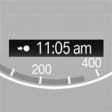
The estimated time of arrival is displayed if a destination is entered in the navigation system* before the trip is started.
The time must be correctly set.
See also:
Manual transmission
When shifting into 5th or 6th gear, press the
gearshift lever to the right. Otherwise, the engine could be damaged if you inadvertently
shift into 3rd or 4th gear.
Reverse gearSelect this only ...
Vehicle equipment
All standard, country-specific and optional
equipment that is offered in the model series is
described in this chapter. Therefore, equipment
is also described that is not available in a vehicle, ...
General information
Do not adjust the seat while
driving
Do not adjust the driver's seat while driving,
or the seat could respond with unexpected
movement and the ensuing loss of vehicle control
could lead to a ...