
Indication in the info display
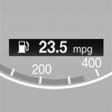
The information from the computer is shown in the Info display in the instrument cluster.
See also:
Text messages
Using contact data
Contact data from appointments, tasks, text
messages, e-mails, and notes can be saved or
selected
Reading the text message out loud
Read the text message out loud ...
General information
Your vehicle contains advanced technology for
the reduction of fuel consumption and emissions.
Fuel consumption depends on a number of different
factors.
The implementation of certain measures, ...
Drivetrains
The 528i, 535i and 550i are rated at 240, 300 and 400 horsepower,
respectively. The turbocharged version of the 3.0-liter inline-six-cylinder in
the 535i makes the 550i superfluous, rocketing the ...