
Activating a list and creating the setting
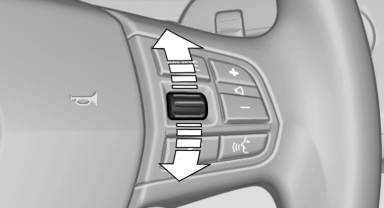
Press a button on the right side of the steering wheel or turn the thumbwheel to activate the required list.
Create the setting using the thumbwheel.
See also:
Weather Band
General information
The availability of the Weather Band and the
number of available channels can vary depending
on the region.
Switching on the Weather Band
1. "Radio"
2. "Weat ...
Six-speed manual transmission as standard
The sporty six-speed manual transmission in the new BMW 3-Series boasts an
easy and precise shifting action and optimal ratio spacing. The lightweight,
compact format and innovative, low-friction ...
Using the remote control
General informa
Take the remote control with you
People or animals left unattended in a
parked vehicle can lock the doors from the inside.
Always take the remote control with you
when leaving th ...