
Time
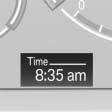
The time is displayed at the bottom of the instrument cluster.
Setting the time and time format.
See also:
Vehicle equipment
All standard, country-specific and optional
equipment that is offered in the model series is
described in this chapter. Therefore, equipment
is also described that is not available in a vehicle, ...
The concept
This system can replace up to three different
hand-held transmitters for various types of remote-
controlled equipment, such as garage
doors or lighting systems.
The hand-held transmitter signa ...
Built for Curves
Like BMW's cars, the X3 offers top-notch road manners. Some may find the
steering wheel too difficult to turn, but its heavy rotations render spot-on
directional control. The meaty steering wheel ...