
Active seat ventilation
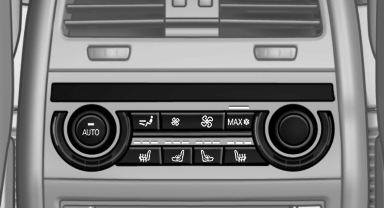
Switching on
 Press the button once for each
ventilation
level.
Press the button once for each
ventilation
level.
The highest level is active when three LEDs are lit.
Switching off
Press the button longer.
The LEDs go out.
See also:
Camera
The camera is located near the base of the mirror.
Keep windshield clean and clear in the area in
front of the interior rear view mirror. ...
Visual warning
The approach of the vehicle to an object can be
shown on the Control Display. Objects that are
farther away are displayed on the Control Display
before a signal tone sounds.
A display appears a ...
Towing other vehicles
General information
Light towing vehicle
Your vehicle must not be lighter than the
vehicle being towed; otherwise, it will not be
possible to control vehicle response.
Attaching the tow bar/t ...