
Opening the main menu
 Press the button.
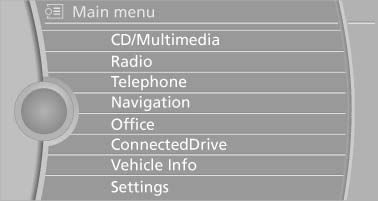
The main menu is displayed
The main menu is displayed.
All iDrive functions can be called up via the main menu.
See also:
General information
Front
Two different driver's seat, exterior mirror, and
steering wheel positions can be stored and retrieved
for each remote control. The adjustment
of the lumbar support is not stored. ...
Storing
1. Switch on the ignition.
2. Set the desired position.
3. Press the button. The LED in
the
button lights up.
4. Press the desired button 1 or 2. The LED
goes out.
If the M button is presse ...
Front fog lamps
The parking lamps or low beams must be
switched on.
Press the button. The green
indicator
lamp lights up.
If the automatic headlamp control, is activated, the low beams will come
on automat ...