
Selecting the display
1.  Press the button.
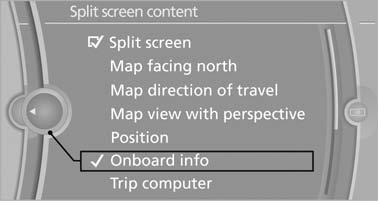
2. "Split screen"
3. Move the controller until the split screen is selected.
4. Press the controller or select "Split screen content".
5. Select the desired menu item.
See also:
Text messages
Text messages in combination with a symbol in
the instrument cluster explain a Check Control message and the meaning of the
indicator and
warning lamps. ...
General information
The navigation system can determine the precise
position of the vehicle, with the aid of satellites
and vehicle sensors, and can reliably
guide you to every entered destination.
Navigation data ...
General information
The iDrive functions can be stored on the programmable
memory buttons and called up directly,
e.g., radio stations, navigation destinations,
phone numbers and entry points into the
menu.
The ...