
Contacts
See also:
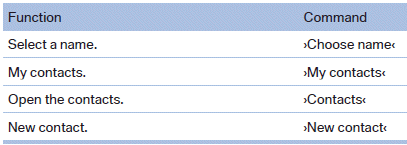
My contacts
General information
List of all contacts stored in the vehicle.
Displaying contacts
1. "Contacts"
2. "My contacts"
All contacts are listed in alphabetical order. Depending
...
Status field symbols
The symbols are grouped as follows.
Radio symbols
Telephone symbols
Entertainment symbols
Additional symbols
...
Calibrating the digital compass
The digital compass must be calibrated in the
event of the following:
▷ The wrong point of the compass is displayed.
▷ The point of the compass displayed does
not change despite chan ...