
Office information
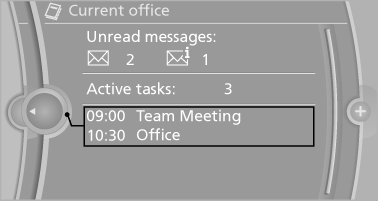
The number of unread messages and active tasks as well as the upcoming appointments are displayed.
1. "Office"
2. "Current office"
3. Select the desired entry to display details.
See also:
Digital compass
Digital compass
1. Adjustment button
2. Display
The display shows you the main or secondary
compass direction in which you are driving. ...
The concept
The automatic engine start-stop function helps
save fuel. The system switches off the engine
during a stop, e. g., in a traffic congestion or at
traffic lights. The ignition remains switched on. ...
1975: the first generation - premiere as a two-door sedan with high-output
four-cylinder engines
The presentation of the first BMW 3-Series in July 1975 saw BMW write a new
chapter into the automotive history books. The two-door sedan wasted no time in
leaving its own distinctive stamp on the ...