
Activating HDC
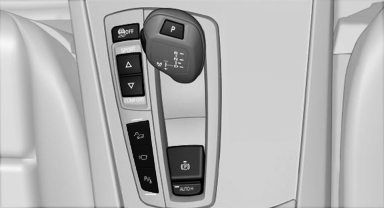
 Press the button; the LED above
the button
lights up.
Press the button; the LED above
the button
lights up.
See also:
Using contact data
At a glance
Contact data from appointments, tasks, text
messages, emails and notes can be stored or
selected.
Displaying contact or selecting phone
number
1. "Use contact data"
2. Di ...
Wiper blades
1. Fold out the wiper arm and hold it.
2. Press together the locking spring, arrows 1, and fold out the wiper
blade, arrow 2.
3. Take the wiper blade out of the catch mechanism ...
BMW Assist
General informationBMW Assist provides a number of different services. For example, the position
data of the vehicle can be transmitted to the BMW Assist Response Center when an
Emergency Requesti ...