
Current fuel consumption
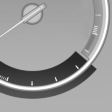 Displays the current fuel
consumption.
Displays the current fuel
consumption.
You can check whether you are currently driving in an efficient and environmentally- friendly manner.
Displaying the current fuel consumption
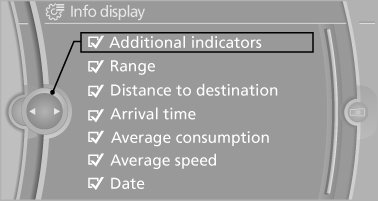
1. "Settings"
2. "Info display"
3. "Additional indicators"
The bar display for the current fuel consumption is displayed in the instrument cluster.
See also:
Lane information
On multi-lane roads, the recommended lanes
are marked in the arrow view by a triangle.
▷ Solid triangle: best lane.
▷ Empty triangle: possible lane. However, another
lane change may ...
Switching off the engine
Always take the remote control with you when
you leave the vehicle.
When parking, apply the parking brake forcefully; otherwise, the vehicle could
begin to roll.
Manual transmission1. Wit ...
Automatic transmission: transporting
your vehicle
Note
Your vehicle is not permitted to be towed.
Therefore, contact a service center in the event
of a breakdown.
Do not have the vehicle towed
Have your vehicle transported on a loading
platf ...