
Date
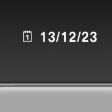 The date is displayed in the
instrument
cluster.
The date is displayed in the
instrument
cluster.
Set the date on the Control Display, refer to page 83.
See also:
At a glance
These overviews of buttons, switches and
displays are intended to familiarize you with your
vehicle. You will also become quickly acquainted
with the available control concepts and options. ...
Disposing of old batteries
Have old batteries disposed of by your
service center or bring them to a recycling
center.
Maintain the battery in an upright position for
transport and storage. Secure the battery so
that ...
Customer Relations
At a glance
Contact Customer Relations for information on
all aspects of your vehicle.
Calling Customer Relations
Vehicles not equipped with BMW
Assist or TeleService
1. "BMW Assist" ...