
Manually adjustable seats
At a glance
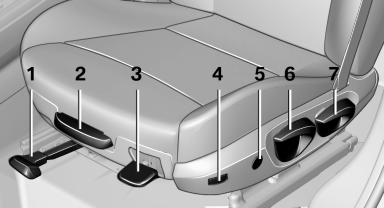
1 Forward/backward
2 Thigh support
3 Seat tilt
4 Backrest width
5 Lumbar support
6 Height
7 Backrest tilt
Forward/backward
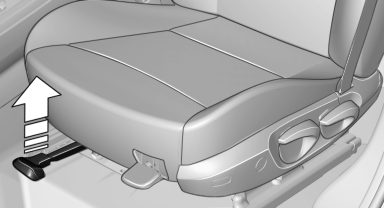
Pull the lever and slide the seat in the desired direction.
After releasing the lever, move the seat forward or back slightly to make sure it engages properly.
Height
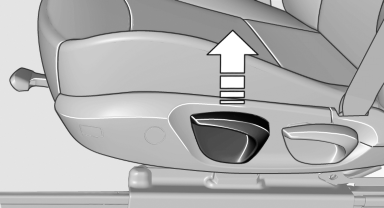
Pull the lever and apply your weight to the seat or lift it off, as necessary.
Backrest tilt
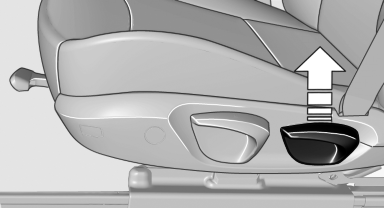
Pull the lever and apply your weight to the backrest or lift it off, as necessary
Seat tilt
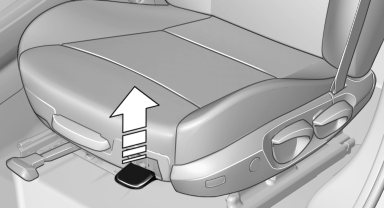
Pull the lever and move the seat to the desired tilt. After releasing the lever, apply your weight to the seat or lift it off to make sure the seat engages properly.
See also:
Top View
The concept
Top View assists you in parking and maneuvering.
The area around the doors and the road area
around the vehicle are shown on the Control
Display for this purpose. ...
Camera
Camera
The camera is located on the front of the interior
rearview mirror.
Keep the area in front of the interior rearview
mirror clear. ...
Display on the Control Display
Switching on the backup camera via
iDrive
With PDC activated:
"Rear view camera"
The backup camera image is displayed. The setting
is stored for the remote control currently in
use ...