
Automatic tailgate operation
Adjusting the opening height
You can set how far the tailgate should open.
 Adjusting the opening height
When adjusting the opening height, ensure
that there is a clearance of at least
4 in/10 cm above the tailgate. Otherwise, the
ceiling may not be high enough for the open tailgate
if the load situation changes.◄
1. "Settings"
2. "Tailgate"
3. Turn the controller until the desired opening
height is selected.
Opening
The tailgate opens fully.
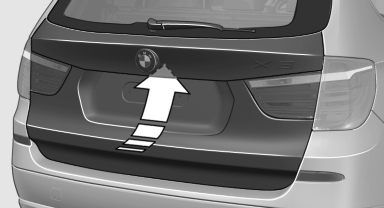
► Press the button on the exterior of the tailgate.
►  Press the button on the remote
control for approx. 1 second.
Press the button on the remote
control for approx. 1 second.
►  Push the button in the driver's
footwell.
Push the button in the driver's
footwell.
Pressing the button again stops the motion.
The opening process is interrupted as well:
► When starting the engine.
► When the vehicle starts moving.
► By pressing the button in the driver's footwell.
► By pressing the button on the inside of the
tailgate.
Closing
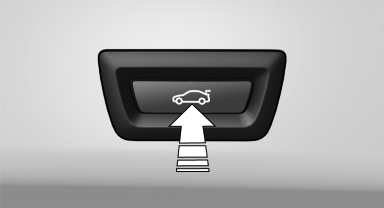
► Press the button on the inside of the tailgate.
The tailgate closes automatically.
Pressing again stops the motion.
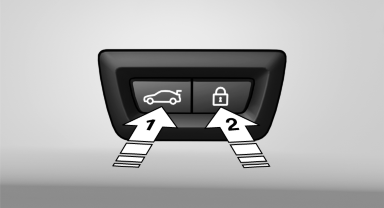
With Comfort Access:
► Press the button, arrow 1, on the inside of the tailgate.
The tailgate closes automatically.
Pressing again stops the motion.
► Press the button, arrow 2.
Tailgate closes automatically and the vehicle is locked.
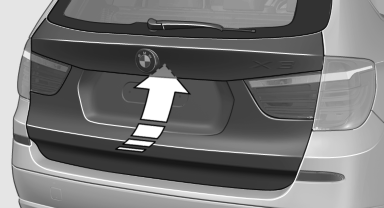
► Press the button on the exterior of the tailgate.
Pressing again stops the motion.
The closing operation is interrupted:
► When starting the engine.
► The vehicle starts off with jerks.
Danger of pinching
Make sure that the closing path of the tailgate
is clear; otherwise, injuries may result.◄
Do not place the remote control in the
cargo area
Take the remote control with you and do not
leave it in the cargo area; otherwise, the remote control is locked inside the
vehicle when the tailgate is closed.◄
Manual operation
In the event of an electrical malfunction, operate the unlocked tailgate manually with a slow and smooth motion.
See also:
Switching on/off manually
Switching on/off manually
Press the button.
▷ On: the LED lights up.
▷ Off: the LED goes out. ...
Exterior mirrors
General information
The mirror on the passenger side is more curved
than the driver's mirror.
Estimating distances correctly
Objects reflected in the mirror are closer
than they appear. Do no ...
Shift paddles for Sport automatictransmission
The shift paddles on the steering wheel allow
you to shift gears quickly while keeping both
hands on the steering wheel.
If the shift paddles on the steering wheel are
used to shift gears in a ...