
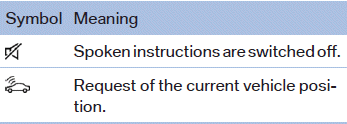
Status field symbols
The symbols are grouped as follows.
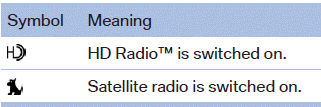
Radio symbols
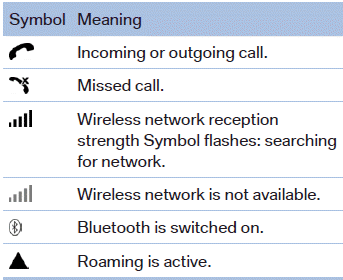
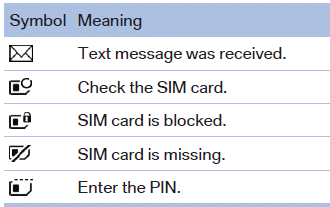
Telephone symbols
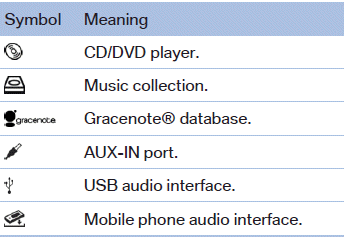
Entertainment symbols
Additional symbols
See also:
Vehicle equipment
All standard, country-specific and optional
equipment that is offered in the model series is
described in this chapter. Therefore, equipment
is also described that is not available in a vehicle,
e ...
Tire identification marks
Knowledge of the labeling on the side of the tire makes it easier to identify
and choose the right tires.
Tire size
Speed code letter
Q = up to 100 mph or 160 km/h
T = up to 118 mph or 190 km/ ...
Mounting LATCH child restraint fixing systems
1. Mount the child restraint fixing system; refer
to the operating instructions of the system.
2. Ensure that both LATCH anchors are properly
connected. ...